












BITTOOLS · TELEGRAM ACCELERATOR
Free BTC Accelerator with Chloe
Free Bitcoin acceleration and confirmation updates in Telegram, available 24/7.
Send Chloe your public Bitcoin transaction ID. The bot submits eligible acceleration requests to BitTools, reports the response and follows up on confirmation. You can return to the conversation for updates without entering any wallet credentials.
- Free acceleration option
- Public TXID only
- Confirmation checks in Telegram

FROM YOUR WALLET TO TELEGRAM
Get started in three steps
Open the official bot
Open @BitToolsRobot in Telegram and tap Start. Use the acceleration option, or send
/acceleratorto see the instructions.Send your public TXID
Copy the Bitcoin transaction ID from your wallet or exchange history. Send the TXID directly, or paste the transaction link as shown in Chloe's instructions. Use your Bitcoin transaction's 64-character identifier, rather than a wallet address.
Read the response and follow up
Chloe submits eligible requests to BitTools and reports the processing response. Follow the conversation for confirmation updates, or use
/status TXIDfor a status check.
FROM THE TELEGRAM CONVERSATION
Follow the request from start to support
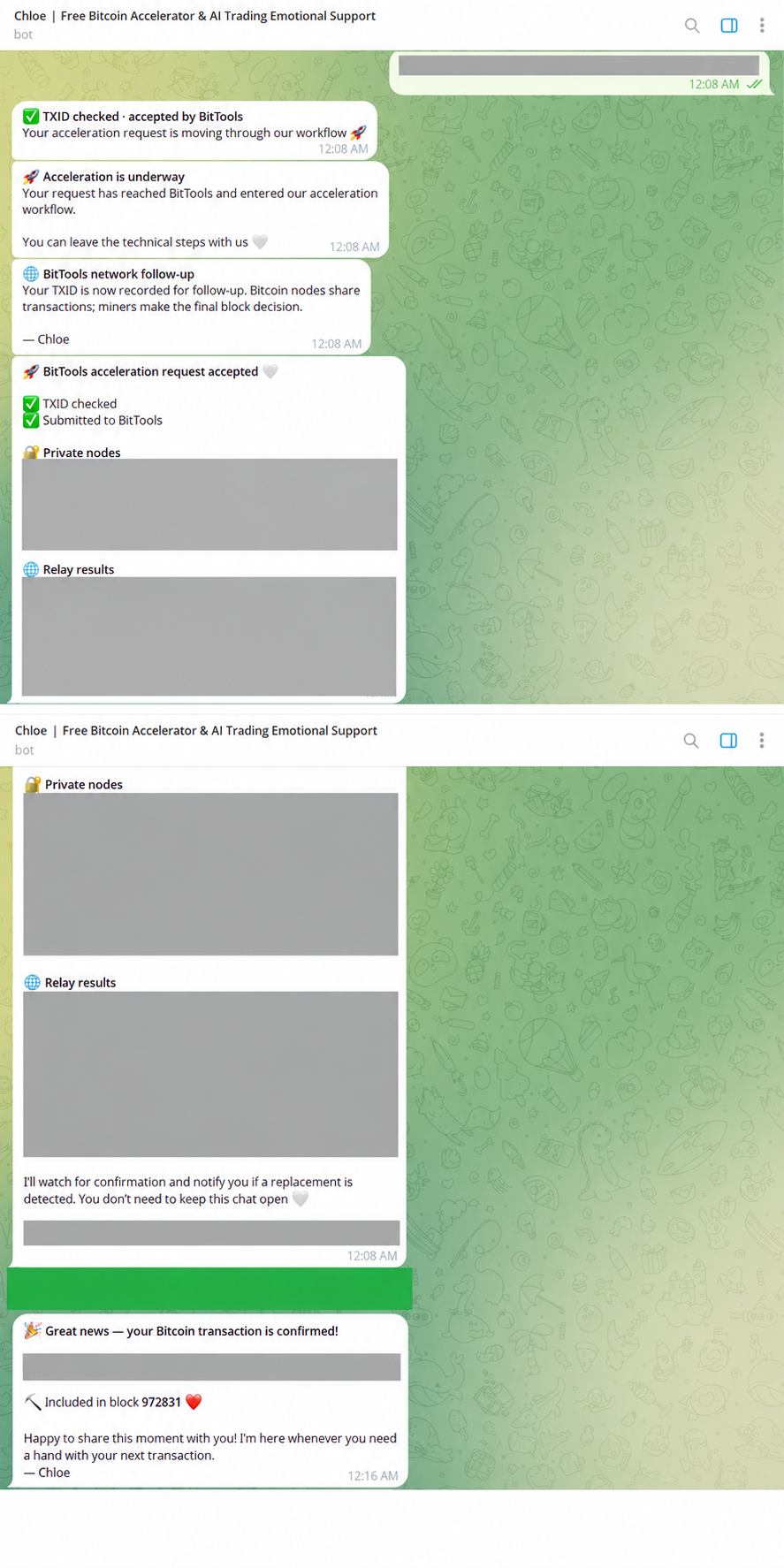
See the instructions, request acceptance, confirmation update and support options below. Request acceptance and Bitcoin confirmation are separate events.
Some transaction and technical details have been hidden to protect privacy and service security.
1. Start the acceleration request
Use the acceleration command, then send your public TXID or paste a transaction link. Free requests are subject to the allowance shown in the bot.
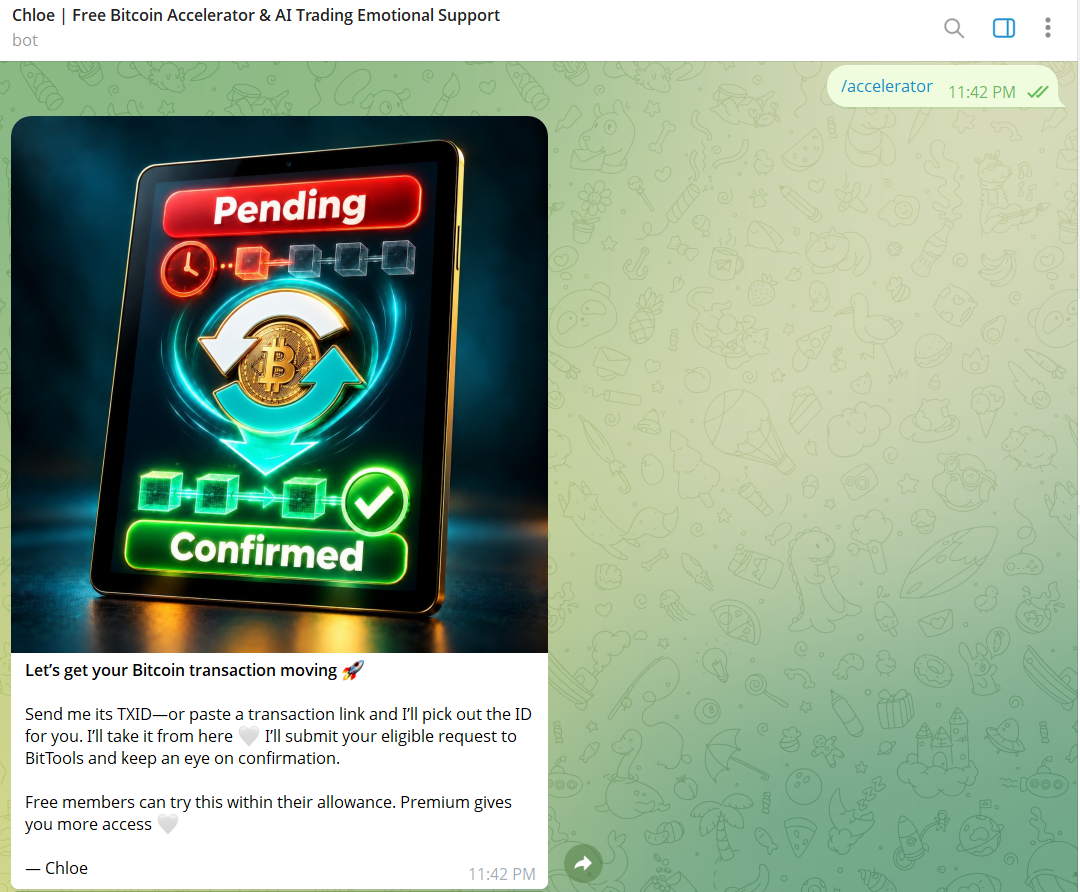
2–3. Request accepted and confirmation follow-up
Acceptance means the request entered processing. A separate notification reports confirmation. This example is not a promise of a particular confirmation time.
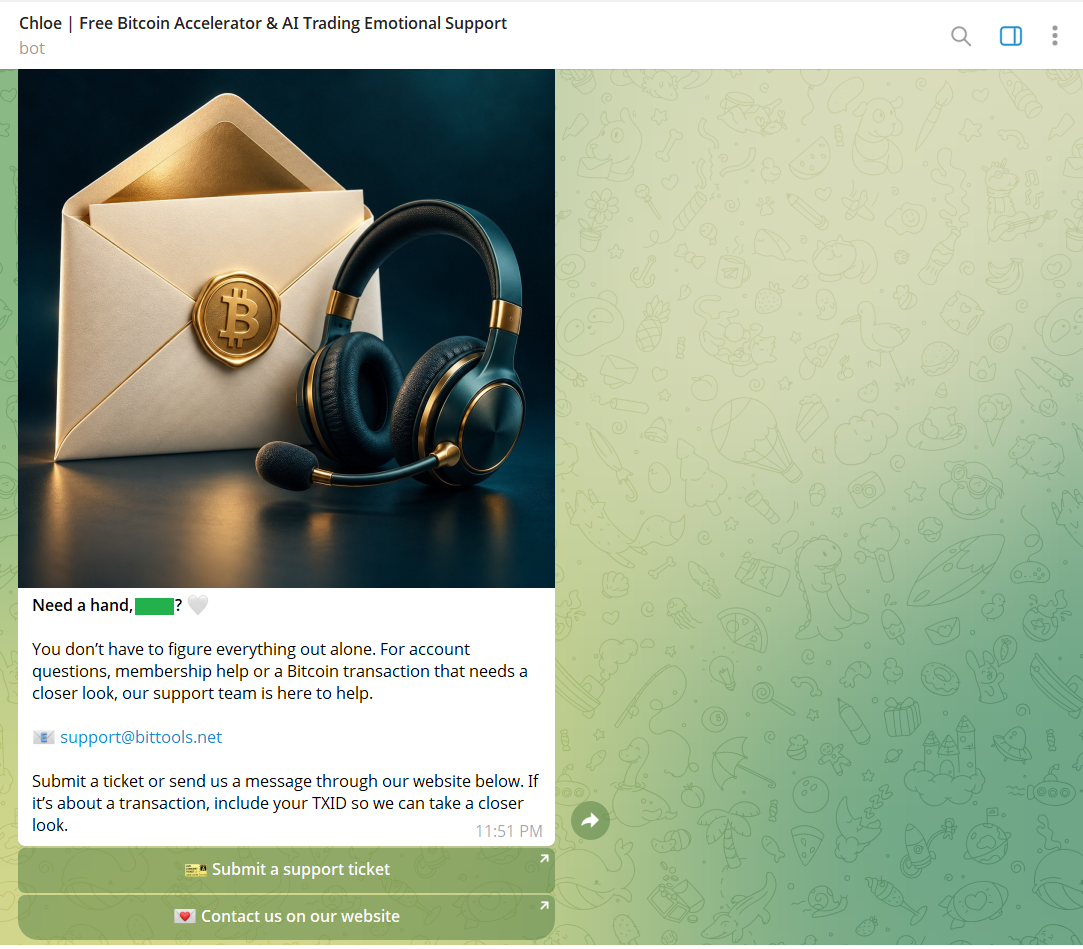
4. Contact the BitTools team
Use the support options if your transaction needs a closer look. Include the public TXID and any relevant request details.
A CLEAR NEXT STEP
Available around the clock. Confirmation depends on Bitcoin.
Chloe gives you a convenient way to request free BTC acceleration and check your transaction from Telegram. Request limits and availability can depend on the current bot settings; read the response for your request.
An accepted or processed acceleration request is different from a confirmed Bitcoin payment. Miners decide which transactions enter a block, and network conditions and transaction fees affect the wait. Free acceleration does not promise confirmation within a fixed time.
Telegram when you want it. BitTools when you need it.
Use Chloe when you want to start from a chat or return for a status check. If you prefer a browser, open the BitTools transaction accelerator and enter the same public TXID.
For more detail, read our BTC accelerator walkthrough or compare free and priority Bitcoin acceleration options. Any optional paid service should be reviewed separately before payment.
Before you send your transaction
What does the lock icon or “Private nodes” label mean?
It refers to nodes reached through BitTools' partner API connections for transaction processing and rebroadcasting. The label does not mean BitTools controls your wallet or that your transaction is private. Only your public TXID is needed to start; Bitcoin transactions remain publicly visible, and miners decide confirmation.
Is Chloe a free BTC accelerator?
Chloe offers a free Bitcoin acceleration option through the BitTools Telegram bot. Follow the current instructions and limits shown in the bot. Optional paid services are separate from a free request.
Does 24/7 mean my payment will confirm immediately?
No. It means you can access the bot around the clock, subject to service availability. Bitcoin confirmation time depends on mining, fees and network conditions.
What should I send to Chloe?
Send the public Bitcoin TXID from the payment details in your wallet or exchange. You can use /accelerate TXID. Do not send wallet login details or recovery words.
How do I check the result?
Chloe follows the transaction and can send a confirmation notification, as shown in the example. You can also use /status TXID for a confirmation check. A processing response alone does not mean the transaction is already in a block.
What if the bot cannot process my request?
Read the reason or limit shown in the reply. You can also check your TXID on the BitTools website, or contact support with the public TXID and the response you received.
Have your TXID ready?
Open Chloe and take the next step for your pending Bitcoin transaction.
Start with Chloe on Telegram